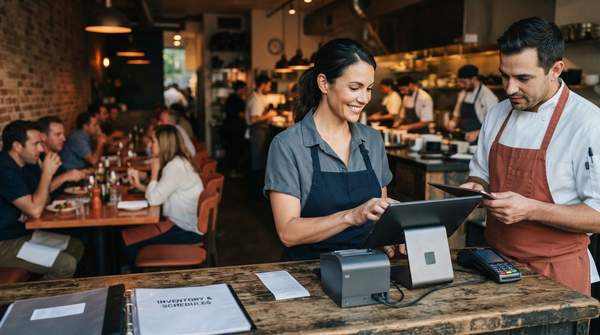
For a small or independent restaurant, the digital tool landscape can feel overwhelming: dozens of vendors, hundreds of features, and no clear sense of where to start. The good news is that most of what a local restaurant actually needs falls into three core categories — a Point of Sale (POS) system as the operational hub, inventory management software for cost control, and a customer management platform for growth. This guide explains the problem each category solves, offers a checklist for evaluating specific solutions, and shows why integration — not feature count — should drive the final decision.
The Digital Foundation: Point of Sale (POS) Systems
The POS system is where nearly every restaurant's technology journey begins, and for good reason: it is the central system through which sales, orders, and daily operations flow. Industry writing on restaurant technology describes the POS as the connective hub for the rest of the stack — the point where delivery apps, kitchen displays, and reporting tools all meet.
The operational problems a modern POS solves are concrete. Quantic POS's feature guide for restaurant operators highlights table management that mirrors the physical dining room, letting staff manage seating dynamically and balance workloads. It also points to an integrated Kitchen Display System (KDS), which replaces paper tickets with real-time digital displays in the kitchen, reducing errors and improving communication between front-of-house and kitchen staff. Rewards Network, writing on restaurant tech tools, adds that self-service ordering with digital menus makes updates easy for seasonal specials or inventory-based changes.
Beyond the dinner rush, POS dashboards surface the numbers owners actually run on: daily and hourly sales, revenue by service area, tips per staff member, and real-time stock levels. For a single-location restaurant, that reporting is what turns a cash register into a management tool.
Controlling Costs: Inventory Management Tools
Food costs are where most independent restaurants quietly bleed money — through waste, stockouts, and purchasing decisions made on instinct. Inventory management software exists to make that side of the business visible. OrderOut's overview of restaurant technology solutions describes the category plainly: it tracks stock levels, helps manage food costs, reduces waste, and optimizes purchasing.
Rewards Network frames the same problem from the kitchen's perspective: keeping the kitchen running smoothly while cutting down on waste and food costs is no small feat, and smart inventory tools are built for exactly that job. EHL Insights, in its restaurant technology coverage, goes further on the reporting side, noting that platforms with strong reporting features surface cost variances and purchasing patterns that manual processes tend to obscure — giving operators real visibility into where money goes on the purchasing side. For multi-site operators that visibility becomes foundational, but even a single location benefits from knowing which ingredients drive cost swings week to week.
Building Loyalty: Customer Management Platforms
Why guest data matters for a small restaurant
The third category is customer relationship management — sometimes called restaurant CRM or guest relationship management (GRM). OpenTable's explainer on restaurant CRM puts the stakes in sharp terms: loyal guests spend an average of 33% more per order than new diners, and 65% of business tends to come from repeat customers. For a neighborhood restaurant that lives on regulars, that math alone justifies attention.
SevenRooms, a CRM vendor, describes how these systems work in practice: automated emails fire based on guest behavior, handling personalized campaigns like birthday offers and win-back sequences, while shared guest profiles unlock VIP tags and branded promotions. Restaurant365's CRM guide notes that reservation management and customer analytics are core strengths of restaurant-focused platforms. Beyond formal CRM tools, local-restaurant technology writing also emphasizes reputation management — actively engaging with online reviews, positive and negative, as a signal to potential guests that the restaurant values their opinions.
Digital Tool Evaluation Checklist
Use this checklist to compare candidate software side by side. Each feature is tied to the operational benefit it delivers, so you can prioritize based on where your restaurant struggles most today.
| Tool Category | Core Problem Solved | Key Features to Look For | Strategic Benefit |
|---|---|---|---|
| Point of Sale (POS) System | Streamlines order processing, payment collection, and staff coordination | Integrated online ordering; table management with a visual floor plan; Kitchen Display System (KDS) integration; sales and staff performance reporting | Acts as the central operational hub that other tools connect to |
| Inventory Management Software | Reduces waste, prevents stockouts, and controls food costs | Real-time stock level tracking; low-stock alerts; purchasing and cost-variance reporting | Gives visibility into where money goes on the purchasing side |
| Customer Management Platform (CRM/GRM) | Fosters loyalty and drives repeat business | Loyalty/rewards program capability; automated behavior-based campaigns (birthday offers, win-backs); guest profiles with purchase history; reservation and analytics integration | Turns guest data into targeted, personalized outreach that builds regulars |
Two notes on using it well: first, real-time stock tracking and low-stock alerts are implied by the stated benefits of inventory systems rather than universally listed as "essential" by every source, so confirm a specific vendor handles them before signing. Second, don't treat the feature list as a scorecard — a tool that covers fewer rows but integrates cleanly with your POS may serve you better than a sprawling platform that doesn't.
The Power of Integration: Unifying Your Digital Tools
This is where the strategic payoff lives. OrderOut's technology guide is emphatic that tying restaurant tech together through a central POS hub is "not just a technical upgrade; it's a strategic move that delivers real, tangible results." The numbers it reports are striking: automating order entry from delivery apps can slash order mistakes by over 95%, and restaurants save 2–5 hours per day by eliminating the need to manually reconcile orders from third-party tablets.
OpenTable makes the same case from the guest-data side: connect a CRM to your POS and other systems, and you have "a single source of truth for guest data" — no switching between platforms, no extra work. SevenRooms echoes this, describing a CRM that compiles marketing, guest portfolio, and performance data in one place, connecting guest profiles, reservations, and revenue management into a single decision-making tool.
The practical warning for owners is the inverse: isolated systems that don't talk to each other recreate the manual work you bought software to eliminate. Before committing to any tool, confirm it integrates with your existing or planned POS.
Making Your Digital Investment Decision
How should an owner sequence all this? The evidence points to a clear order of operations: start with a robust POS system, because it is the hub everything else connects to. Then add inventory management to get purchasing and waste under control, and a customer management platform to convert first-time guests into regulars. Choose integrated tools over isolated ones, and weigh long-term benefits — reduced errors, saved hours, retained guests — against initial cost rather than chasing the lowest subscription price. This is general guidance for small and independent restaurants, not a review of specific brands, and it isn't financial or business consulting; pricing varies by vendor and should be researched directly.
Once tools are in place, measure whether the investment is working. The indicators to watch are operational efficiency metrics — faster order processing and reduced inventory waste — alongside customer retention rates after implementation. OrderOut's reported benchmarks give a concrete reference point: restaurants integrating their stack through a central POS have saved 2–5 hours per day and cut order mistakes by more than 95%. If your own numbers move in that direction within the first months after rollout, the investment is doing its job.
Sources
- 44 Best Restaurant POS Features Every Operator Needs in 2026 — Quantic POS - A true iOS and Android Based POS System for Restaurants and Retail Businesses
- Restaurant Technology Solutions That Boost Profits — OrderOut
- Top 10 tech tools your restaurant needs - Rewards Network
- What is a Restaurant CRM? Benefits & Why They Matter — OpenTable Resources
- 6 benefits of a restaurant CRM that directly impact revenue and retention — SevenRooms
- Restaurant CRM Guide: What's the Best CRM for a Restaurant? — Restaurant365
- \r\n \n How Local Restaurants can Benefit From New Technology\n \r\n — Balistreris